International
 Malaysia
 Indonesia
 Thailand
 FitCon100Baru
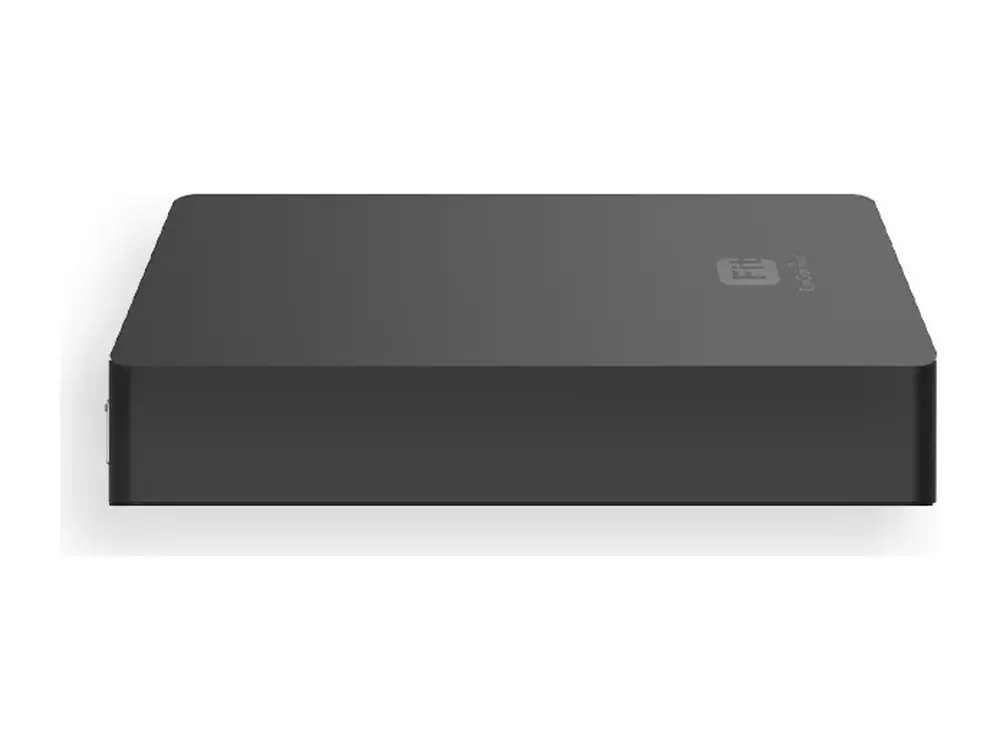
EnGenius FitCon100 – Kontroler / software manajemen jaringan
EnGenius Fit Network Management Controller
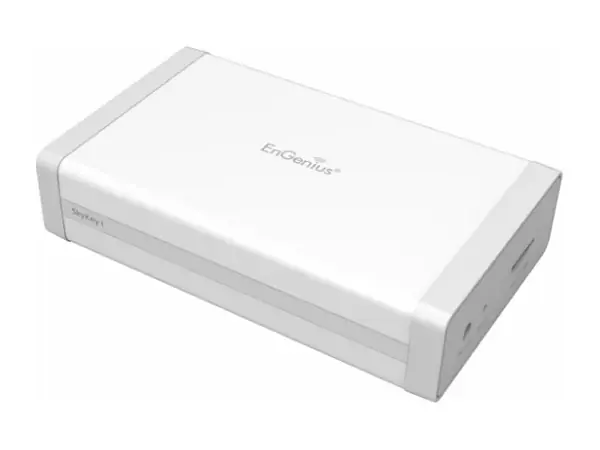
EnGenius FitCon100 adalah kontroler / software manajemen jaringan: EnGenius Fit Network Management Controller. Cocok untuk mengelola banyak access point dari satu tempat serta lokasi yang membutuhkan kontrol on-premise. Bisa dikelola dengan platform EnGenius Fit (FitCon100 atau FitXpress) atau berdiri sendiri, tanpa biaya lisensi. PT Vemax Distribution Indonesia menyediakan FitCon100 di seluruh Indonesia melalui reseller dan system integrator, dengan garansi resmi dan dukungan pre-sales dari kantor Jakarta.
- Kontroler / software manajemen jaringan
- EnGenius Fit
Disediakan oleh PT Vemax Distribution Indonesia, distributor EnGenius di Indonesia, dengan stok lokal, garansi resmi dan layanan RMA.
Fitur utama FitCon100
- EnGenius Fit Network Management Controller
Cocok untuk
- Mengelola banyak access point dari satu tempat
- Lokasi yang membutuhkan kontrol on-premise
Spesifikasi teknis lengkap
Technical Specifications Ap
| CPU: | Model: Qualcomm IPQ4019 Architecture: 32-bit Clock Rate: ARM A7 Quad Core 717MHz Hardware Encryption Acceleration: Yes |
|---|---|
| Memory: | System Memory: 1GB DDR3 |
| Storage: | eMMC: 4GB (MLC) |
| Interfaces and LEDs | 2 x 10/100/1000 Mbps RJ45 ports (1 x PoE) 1 x Micro SD Slot 1 x DC-Input Jack 1 x Reset Button 1 x Power LED (Orange) 2 x LAN LED (Green) |
Management Features Ap
| Managing Capacity | Up to 100 devices (Access points or switches) |
|---|---|
| Reserving duration of managerial data | Maximum 7 days if users control and manage 100pcs of Access Points and switches on a SkyKey solution |
| Managed Access Points / Switches | Users can realize status of Access Points and Switches |
| System Resource Usage | CPU: Usage (%) of CPU for this SkyKey Memory: Usage (%) of Memory for this SkyKey Disk: Usage (%) of Disk for this SkyKey |
| System Overview | Users can realize ezMaster software version on this SkyKey |
| Recent Projects | Updated or revised projects are listed in the right side bar. |
| Rogue AP Detection | Enable the function to detect the fake access points in the environment. |
| Active Clients | The page will show clients’ information including client name, getting IP, MAC address, Client OS*, SSID, Band, Tx, Rx, and RSSI information. |
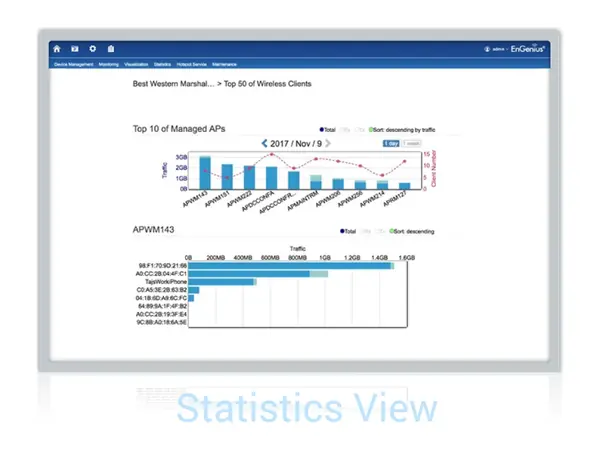
| Statistics Information Access Point | Top 10 traffic for the Managed AP. We can reserve data up to 30 days. |
| Wireless Client Information | Top Fifty (50) traffic for wireless client devices. |
| Topology View | Topology view provide a glance how all the devices is being connected with all the connecting parameters presented. In this view, network administrator can quickly identify connection faults and perform necessary troubleshooting. |
| Map View | Enter this view to find locations of Access Points or switches on global view of google map. You may also filter one of APs from google map easily. |
| Floor Plan View | Upload a floor plan for this project. Users can put a known floor plan and then place Access Points or switches on this view. |
| Mesh View | Provide a topology of the MESH Links. |
| Hotspot Service | Captive Portal profile setting will be set a profile to apply on one of SSIDs. Users can configure authentication types, session of connecting clients, redirect page types and redirect behaviour |
| System Overview | Users can realize ezMaster software version on this SkyKey |
| Recent Projects | Update or revise projects are listed in the right side bar. |
| Bulk Update | Throughout this function to proceed mass upgrade procedure on a specific AP. |
| Bulk Update (Switch) | Throughout this function to proceed mass upgrade procedure on a specific switch. |
| AP Remote Log | Synchronise clients’ information of AP to a remote log server. |
| Backup/Restore | Option 1: Backup configure files to SkyKey Option 2: Backup config files to Micro SD card Note: Save up to 5 configuration file |
Technical Specifications Management
| Memory Slot Storage | eMMC:8GB (MLC) |
|---|
Management Features Management
| Reserving Suration of Managerial Data | Maximum 7 days for 100pcs of Access Points and switches |
|---|---|
| Dashboard | Managed Access Points / Switches |
| Managed Access Points / Switches | System Resource Usage |
| System Resource Usage | — CPU: Usage (%) of CPU for FitController — Memory: Usage (%) of Memory for FitController — Disk: Usage (%) of Disk for FitController |
| System Resource Usage | System Overview |
| System Overview | Recent Projects |
| Global Settings | Account Management (Multi-Tenant) |
| Account Management (Multi-Tenant) | — Master — Users — Guests |
| Account Management (Multi-Tenant) | E-Mail Alert |
| E-Mail Alert | Backup/Restore |
| Backup/Restore | — Option 1: Backup configure files to FitController — Option 2: Backup config files to Micro SD card |
| Backup/Restore | Reboot/Reset FitController |
| Reboot/Reset FitController | Auto Transmit Power |
| Auto Transmit Power | Auto Channel |
| Auto Channel | Diagnostic |
| Diagnostic | Software Update |
| Device Inventory | Register EnGenius Fit devices (AP or Switches) |
| Project | Device Management |
| Device Management | Summary |
| Device Management | Device Configuration |
| Device Configuration | — SSID Setting — Hidden SSID in Beacons — VLAN Per SSID — Fast Roaming (802.11k) — Band Steering — NAS IP — NAS ID — NAS Port — L2 Isolation — Whited List/Blocked List per SSID — Traffic Shaping |
| Device Configuration | AP Groups |
| AP Groups | Schedule |
| Schedule | — Schedule Settings — Reboot — Scheduler for SSID |
| Schedule | Monitoring |
| Monitoring | Rogue AP Detection Active Client |
| Monitoring | Visualization |
| Visualization | Topology View |
| Visualization | Statistics |
| Statistics | Access Point Wireless Client Information Real Time Throughput |
| Statistics | Hotspot Service |
| Hotspot Service | Captive Portal (NAT / Bridge mode) Guest Account |
| Hotspot Service | Maintenance |
| Maintenance | Bulk Update |
| Supported Models | EWS FIT AP EWS FIT Switch |
Dimensions Weight Management
| Dimensions & Weights | FitCon100 (Device) Weight: 165g Length: 6.86″ (174.25 mm) Width: 3.04″ (77.4 mm) Height: 1.69″ (43 mm) |
|---|---|
| Dimensions & Weights | Packaging Weight: 260g Length: 6.86″ (174.25 mm) Width: 3.95″ (100.5 mm) Height: 1.69″ (43 mm) |
| Dimensions & Weights | Master Carton Weight: 5.82kg Length: 17.95″ (456 mm) Width: 8.66″ (220 mm) Height: 8.26″ (210 mm) |
| Certification | FCC CE IC UKCA |
| Mounting | Ceiling Mounting Wall Mounting |
| Package Contents | 1 – FitController100 1 – Product card 1 – Ethernet cable 1 – Screw position identifier 1 – Wall Mount Accessories (Exclude Power Adapter) |
| Power Source(Optional) | Power adaptor:DC12V/1A AC100~240V 2.5∮ PoE Switch: 802.3af |
Spesifikasi dari EnGenius. Dapat berubah sewaktu-waktu oleh pabrikan; periksa datasheet resmi untuk detail terbaru.
Pertanyaan seputar FitCon100
Di mana membeli EnGenius FitCon100 di Indonesia?
PT Vemax Distribution Indonesia adalah distributor EnGenius di Indonesia. Anda bisa membeli FitCon100 melalui jaringan reseller dan system integrator kami di Jakarta, Surabaya, Bandung, Medan, Bali dan kota lainnya. Hubungi Vemax di +62 811-1118-184 atau admin@vemax.co.id.
Berapa harga EnGenius FitCon100 di Indonesia?
Harga tergantung jumlah dan skala proyek. Minta penawaran ke Vemax untuk harga FitCon100 terbaru di Indonesia. Reseller terdaftar mendapatkan harga dealer.
Apakah FitCon100 bergaransi resmi Indonesia?
Ya. Produk dari Vemax memiliki garansi resmi EnGenius dengan proses RMA di Indonesia, sehingga tidak perlu dikirim ke luar negeri.
Bagaimana cara mengelola FitCon100?
FitCon100 adalah bagian dari EnGenius Fit. Bisa dikelola sendiri lewat antarmuka web, atau dikelola bersama perangkat Fit lain dengan controller FitCon100 atau gateway FitXpress. Tanpa biaya lisensi.
Di mana mengunduh datasheet FitCon100?
Klik tombol "Unduh datasheet" di halaman ini. File PDF resmi diunduh langsung dari EnGenius.
Bisakah saya menjadi reseller EnGenius di Indonesia?
Bisa. Vemax bekerja sama dengan reseller IT, kontraktor ELV dan system integrator di seluruh Indonesia. Daftar melalui formulir kontak untuk mendapatkan harga dealer, unit demo dan pelatihan teknis.