International
 Malaysia
 Indonesia
 Thailand
 FitCon100New
EnGenius FitCon100 Network management controller / software
EnGenius Fit Network Management Controller
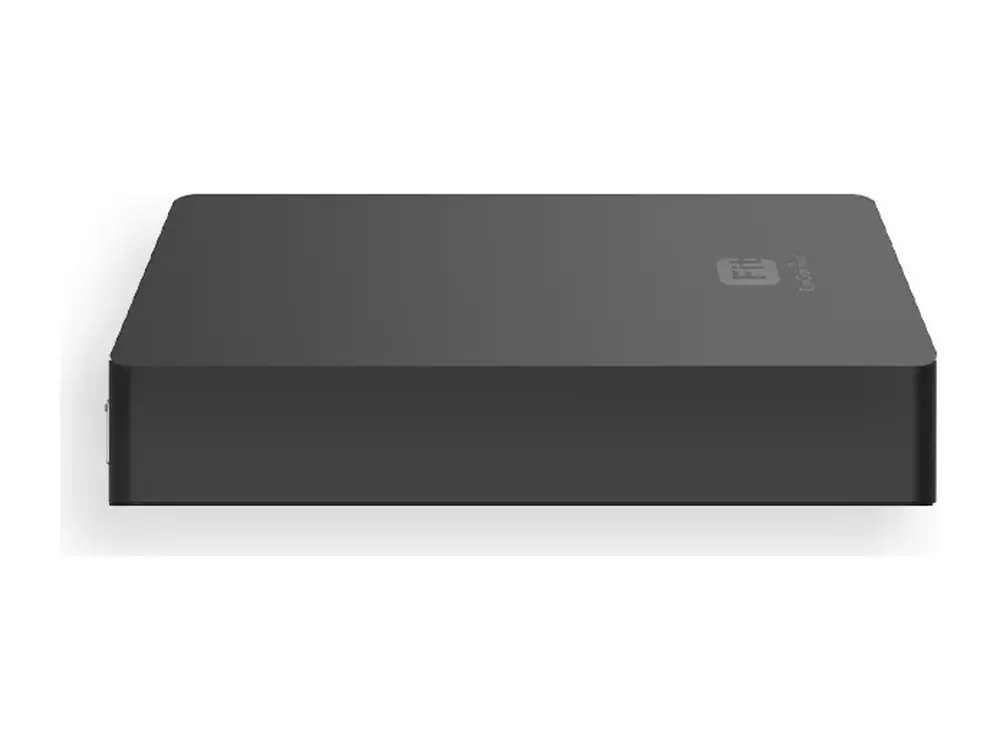
The EnGenius FitCon100 is a network management controller / software: EnGenius Fit Network Management Controller. It suits managing many access points from one place and sites that need on-premises control. It works with the EnGenius Fit platform (FitCon100 or FitXpress) or on its own, with no licence fees. Vemax Distribution Sdn Bhd supplies the FitCon100 in Malaysia through resellers and system integrators, with local warranty and pre-sales support from offices in Kuala Lumpur, Kuching, Penang and Kota Kinabalu.
- Network management controller / software
- EnGenius Fit
Supplied by Vemax Distribution Sdn Bhd, EnGenius distributor in Malaysia, with local stock, warranty and RMA support.
Key features of the FitCon100
- EnGenius Fit Network Management Controller
Best for
- Managing many access points from one place
- Sites that need on-premises control
FitCon100 overview
EnGenius FitController is a simple, secure, and easy-to-use Wi-Fi solution for your small business. Our intuitive system makes it easy to manage your network. Plus, our advanced security features help keep your data safe, and your customers connected. For IT managers or admins at small businesses who need to manage access points and switches quickly and easily, FitController’s intuitive interface and simple plug-and-play integration securely provide efficient device management, while cloud accessibility allows remote management of multiple networks from a single portal without requiring a dedicated server. Admins can easily view detailed analytics from a single pane of glass as well as monitor and troubleshoot issues instantly. Simply plug into PoE Ethernet switch. No additional download or training required Fast deployment with quick-scan device registration & configuration. Network management for up to 100 EnGenius Fit APs and Switches Hierarchy view to quickly structure customer sites and organize networks Network health view to analyze networks and report potential issues Multi-tenant user login privileges. Device two-factor authentication to ensure only authorized devices are on the network Support up to 50 networks. Built-in powerful Qualcomm Qual-Core CPU Micro SD slot for extra back-up 802.3af or DC12/1A input power source
Product description from EnGenius.
Full technical specifications
Technical Specifications Ap
| CPU: | Model: Qualcomm IPQ4019 Architecture: 32-bit Clock Rate: ARM A7 Quad Core 717MHz Hardware Encryption Acceleration: Yes |
|---|---|
| Memory: | System Memory: 1GB DDR3 |
| Storage: | eMMC: 4GB (MLC) |
| Interfaces and LEDs | 2 x 10/100/1000 Mbps RJ45 ports (1 x PoE) 1 x Micro SD Slot 1 x DC-Input Jack 1 x Reset Button 1 x Power LED (Orange) 2 x LAN LED (Green) |
Management Features Ap
| Managing Capacity | Up to 100 devices (Access points or switches) |
|---|---|
| Reserving duration of managerial data | Maximum 7 days if users control and manage 100pcs of Access Points and switches on a SkyKey solution |
| Managed Access Points / Switches | Users can realize status of Access Points and Switches |
| System Resource Usage | CPU: Usage (%) of CPU for this SkyKey Memory: Usage (%) of Memory for this SkyKey Disk: Usage (%) of Disk for this SkyKey |
| System Overview | Users can realize ezMaster software version on this SkyKey |
| Recent Projects | Updated or revised projects are listed in the right side bar. |
| Rogue AP Detection | Enable the function to detect the fake access points in the environment. |
| Active Clients | The page will show clients’ information including client name, getting IP, MAC address, Client OS*, SSID, Band, Tx, Rx, and RSSI information. |
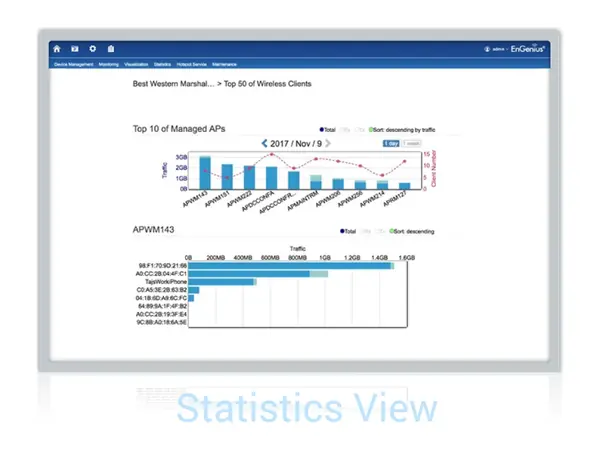
| Statistics Information Access Point | Top 10 traffic for the Managed AP. We can reserve data up to 30 days. |
| Wireless Client Information | Top Fifty (50) traffic for wireless client devices. |
| Topology View | Topology view provide a glance how all the devices is being connected with all the connecting parameters presented. In this view, network administrator can quickly identify connection faults and perform necessary troubleshooting. |
| Map View | Enter this view to find locations of Access Points or switches on global view of google map. You may also filter one of APs from google map easily. |
| Floor Plan View | Upload a floor plan for this project. Users can put a known floor plan and then place Access Points or switches on this view. |
| Mesh View | Provide a topology of the MESH Links. |
| Hotspot Service | Captive Portal profile setting will be set a profile to apply on one of SSIDs. Users can configure authentication types, session of connecting clients, redirect page types and redirect behaviour |
| System Overview | Users can realize ezMaster software version on this SkyKey |
| Recent Projects | Update or revise projects are listed in the right side bar. |
| Bulk Update | Throughout this function to proceed mass upgrade procedure on a specific AP. |
| Bulk Update (Switch) | Throughout this function to proceed mass upgrade procedure on a specific switch. |
| AP Remote Log | Synchronise clients’ information of AP to a remote log server. |
| Backup/Restore | Option 1: Backup configure files to SkyKey Option 2: Backup config files to Micro SD card Note: Save up to 5 configuration file |
Technical Specifications Management
| Memory Slot Storage | eMMC:8GB (MLC) |
|---|
Management Features Management
| Reserving Suration of Managerial Data | Maximum 7 days for 100pcs of Access Points and switches |
|---|---|
| Dashboard | Managed Access Points / Switches |
| Managed Access Points / Switches | System Resource Usage |
| System Resource Usage | — CPU: Usage (%) of CPU for FitController — Memory: Usage (%) of Memory for FitController — Disk: Usage (%) of Disk for FitController |
| System Resource Usage | System Overview |
| System Overview | Recent Projects |
| Global Settings | Account Management (Multi-Tenant) |
| Account Management (Multi-Tenant) | — Master — Users — Guests |
| Account Management (Multi-Tenant) | E-Mail Alert |
| E-Mail Alert | Backup/Restore |
| Backup/Restore | — Option 1: Backup configure files to FitController — Option 2: Backup config files to Micro SD card |
| Backup/Restore | Reboot/Reset FitController |
| Reboot/Reset FitController | Auto Transmit Power |
| Auto Transmit Power | Auto Channel |
| Auto Channel | Diagnostic |
| Diagnostic | Software Update |
| Device Inventory | Register EnGenius Fit devices (AP or Switches) |
| Project | Device Management |
| Device Management | Summary |
| Device Management | Device Configuration |
| Device Configuration | — SSID Setting — Hidden SSID in Beacons — VLAN Per SSID — Fast Roaming (802.11k) — Band Steering — NAS IP — NAS ID — NAS Port — L2 Isolation — Whited List/Blocked List per SSID — Traffic Shaping |
| Device Configuration | AP Groups |
| AP Groups | Schedule |
| Schedule | — Schedule Settings — Reboot — Scheduler for SSID |
| Schedule | Monitoring |
| Monitoring | Rogue AP Detection Active Client |
| Monitoring | Visualization |
| Visualization | Topology View |
| Visualization | Statistics |
| Statistics | Access Point Wireless Client Information Real Time Throughput |
| Statistics | Hotspot Service |
| Hotspot Service | Captive Portal (NAT / Bridge mode) Guest Account |
| Hotspot Service | Maintenance |
| Maintenance | Bulk Update |
| Supported Models | EWS FIT AP EWS FIT Switch |
Dimensions Weight Management
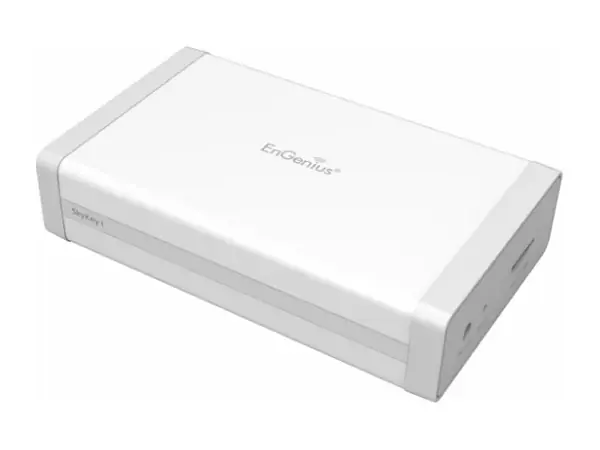
| Dimensions & Weights | FitCon100 (Device) Weight: 165g Length: 6.86″ (174.25 mm) Width: 3.04″ (77.4 mm) Height: 1.69″ (43 mm) |
|---|---|
| Dimensions & Weights | Packaging Weight: 260g Length: 6.86″ (174.25 mm) Width: 3.95″ (100.5 mm) Height: 1.69″ (43 mm) |
| Dimensions & Weights | Master Carton Weight: 5.82kg Length: 17.95″ (456 mm) Width: 8.66″ (220 mm) Height: 8.26″ (210 mm) |
| Certification | FCC CE IC UKCA |
| Mounting | Ceiling Mounting Wall Mounting |
| Package Contents | 1 – FitController100 1 – Product card 1 – Ethernet cable 1 – Screw position identifier 1 – Wall Mount Accessories (Exclude Power Adapter) |
| Power Source(Optional) | Power adaptor:DC12V/1A AC100~240V 2.5∮ PoE Switch: 802.3af |
Specifications from EnGenius. Subject to change by the manufacturer; check the official datasheet for the latest details.
FitCon100 questions
Where can I buy the EnGenius FitCon100 in Malaysia?
Vemax Distribution Sdn Bhd is the EnGenius distributor in Malaysia. You can buy the FitCon100 through our reseller and system integrator network in Kuala Lumpur, Selangor, Penang, Johor, Sabah and Sarawak. Contact Vemax at +60 16-874 7515 or sales@vemax.com.my and we will connect you with a reseller or quote you directly for projects.
What is the price of the EnGenius FitCon100 in Malaysia?
Pricing depends on quantity and project size. Request a quote from Vemax for the latest FitCon100 price in Malaysia. Registered resellers receive dealer pricing.
Does the FitCon100 come with a Malaysian warranty?
Yes. Units supplied by Vemax carry the official EnGenius warranty with local RMA handled in Malaysia, so there is no need to send products overseas.
How is the FitCon100 managed?
The FitCon100 is part of EnGenius Fit. Manage it on its own through the web interface, or manage many Fit devices together with a FitCon100 controller or FitXpress gateway. There are no licence fees.
Where can I download the FitCon100 datasheet?
Use the "Download datasheet" button on this page. It downloads the official PDF directly from EnGenius.
Can I become a EnGenius reseller in Malaysia?
Yes. Vemax works with IT resellers, ELV contractors and system integrators across Malaysia. Register through the contact form to get dealer pricing, demo units and technical training.